
Download MysticQuill – AI‑Powered LinkedIn Strategy Suite
Overview: Transform Your LinkedIn Presence with MysticQuill
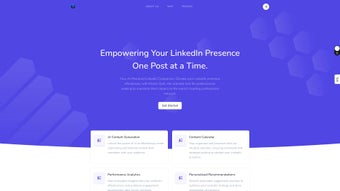
In today’s hyper‑connected professional world, a compelling LinkedIn profile is no longer optional – it’s a strategic asset. MysticQuill steps into this space as an AI‑driven business suite purpose‑built for professionals, entrepreneurs, and B2B marketers who want to dominate the platform without spending endless hours crafting posts. By marrying advanced natural‑language generation with a sleek content calendar, MysticQuill empowers users to produce audience‑centric updates, schedule them for optimal reach, and instantly see how each piece performs.
The platform’s performance analytics go beyond simple likes and comments; they surface engagement trends, audience demographics, and content‑type effectiveness, giving you data‑driven insights that fuel smarter decisions. Personalized recommendations, delivered through a friendly dashboard, suggest the best posting times, hashtags, and even tone adjustments, turning every user into a LinkedIn thought leader. Whether you’re looking to boost brand visibility, generate qualified leads, or simply stay top‑of‑mind with your network, MysticQuill offers a subscription‑based, secure, and continuously updated solution that scales with your ambitions.
The tool’s intuitive design means even non‑tech‑savvy users can jump in, while power users appreciate the depth of customization and integration options. In short, MysticQuill is more than a content generator—it’s a strategic partner that aligns your LinkedIn activity with business goals, ensuring every post works harder for you.
Core Capabilities & How to Get Started
Feature Set that Powers Your LinkedIn Engine
- AI‑Generated Posts: Instantly create engaging, industry‑relevant copy tailored to your audience.
- Smart Content Calendar: Drag‑and‑drop scheduling, bulk uploads, and visual timeline view.
- Performance Analytics Dashboard: Real‑time metrics on reach, clicks, follower growth, and sentiment.
- Personalized Recommendations: AI‑driven suggestions for optimal posting times, hashtags, and content formats.
- Brand Consistency Tools: Saved tone presets, style guides, and visual asset libraries.
- Collaboration Workspace: Team members can draft, review, and approve posts within the same environment.
- Secure Cloud Storage: End‑to‑end encryption for all drafts, analytics data, and personal credentials.
- Regular Updates: Monthly feature releases based on user feedback and LinkedIn algorithm changes.
Installation & Usage Instructions
Getting started with MysticQuill is intentionally frictionless. After purchasing a subscription on the official website, you’ll receive a secure download link for the desktop client (Windows 10/11 and macOS 12+). For mobile users, the iOS and Android apps are available through the Apple App Store and Google Play Store respectively.
Installation follows the standard wizard: accept the license agreement, choose an installation folder, and click “Finish.” Upon first launch, you’ll be prompted to link your LinkedIn account via OAuth – a process that never stores your password on our servers, ensuring a secure connection. Once authenticated, the onboarding wizard walks you through a quick questionnaire about your industry, target audience, and posting goals. MysticQuill then generates a starter content calendar populated with AI‑crafted posts that you can edit, approve, or replace.
The intuitive dashboard lets you drag posts to new dates, set reminders, or publish instantly. Throughout the day, the analytics panel updates in real time, highlighting top‑performing content and offering actionable insights for the next batch of posts.
Compatibility Across Devices
MysticQuill is built with cross‑platform compatibility in mind. Desktop clients run natively on Windows 10/11 (64‑bit) and macOS 12 Monterey or later, taking advantage of native UI elements for a seamless experience. The mobile apps support iOS 14+ and Android 9+, offering full calendar access, on‑the‑go post generation, and push notifications for performance alerts.
All versions sync via the cloud, so edits made on a laptop instantly appear on your phone. The platform also integrates with popular third‑party tools such as Zapier, HubSpot, and Microsoft Teams, enabling you to pull CRM contacts or push scheduled posts into existing workflows. Whether you work from a home office, a co‑working space, or a commuter train, MysticQuill keeps your LinkedIn strategy consistent and secure.
Pros, Cons & Real‑World Impact
Pros
- AI Accuracy: Generates high‑quality copy that feels authentic and aligns with industry jargon.
- Time Savings: Reduces content creation time by up to 70 %, allowing you to focus on networking.
- Data‑Driven Insights: In‑depth analytics turn vanity metrics into actionable strategies.
- Cross‑Platform Sync: Seamless experience across Windows, macOS, iOS, and Android.
- Secure Architecture: End‑to‑end encryption and GDPR‑compliant data handling.
Cons
- Subscription Cost: Monthly pricing may be a hurdle for freelancers on a tight budget.
- Learning Curve: Advanced analytics and collaboration features require some onboarding time.
- LinkedIn API Limits: Heavy scheduling can hit rate limits during peak hours, requiring occasional manual adjustments.
Real‑world users report a noticeable uplift in engagement after just two weeks of consistent posting with MysticQuill. Small businesses have seen follower growth rates of 15‑20 % month‑over‑month, while senior executives note an increase in inbound connection requests from decision‑makers. The platform’s recommendation engine often uncovers hidden content gaps—suggesting topics that competitors haven’t yet covered, positioning users as early thought leaders.
Though the subscription cost is higher than basic post‑scheduling tools, the ROI manifests through higher-quality leads and reduced time spent on manual drafting. For teams, the collaborative workspace eliminates version‑control headaches, ensuring brand voice consistency across multiple contributors. Overall, the strengths of MysticQuill outweigh its limitations, especially for professionals who view LinkedIn as a core acquisition channel rather than a peripheral networking site.
Final Verdict, FAQ & Call to Action
MysticQuill stands out as a comprehensive, AI‑powered solution that transforms LinkedIn from a static resume platform into an active lead‑generation engine. Its blend of intelligent content creation, strategic calendar management, and robust analytics delivers measurable value for anyone serious about building a professional brand. While the price point may deter casual users, the investment quickly pays for itself through increased visibility, higher engagement rates, and more qualified connections. If you’re ready to shift from ad‑hoc posting to a data‑driven, scalable LinkedIn strategy, MysticQuill is the tool to make that transition seamless and secure.
Frequently Asked Questions
Can MysticQuill generate posts in multiple languages?
Yes. MysticQuill supports English, Spanish, French, German, and Mandarin. The AI adapts tone and idioms to each language, ensuring culturally appropriate content.
Is there a free trial available?
A 14‑day free trial is offered for new users. You can explore the full feature set, create unlimited posts, and test the analytics dashboard without entering payment details.
How does MysticQuill handle LinkedIn’s API rate limits?
The platform automatically spaces scheduled posts to stay within LinkedIn’s rate limits. If a limit is reached, MysticQuill queues the remaining posts and publishes them once the limit resets.
Can I integrate MysticQuill with my existing CRM?
Yes. MysticQuill offers native integrations with HubSpot, Salesforce, and Zoho via API connectors, allowing you to import contacts and track LinkedIn engagement as part of your sales funnel.
What security measures protect my data?
All data is encrypted in transit (TLS 1.3) and at rest (AES‑256). MysticQuill is GDPR‑compliant, and two‑factor authentication (2FA) is available for all accounts.
Ready to elevate your LinkedIn game? Download MysticQuill now and start your free trial. Experience AI‑crafted content, strategic scheduling, and deep analytics that turn every post into a growth opportunity.



.png)



